
Our Expertise

At Gigansoft, we specialize in delivering secure, scalable, and efficient IT infrastructure solutions—spanning DevOps automation, cloud integration, and intelligent support services tailored to your business needs.

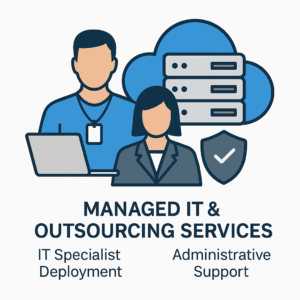
Managed IT & Outsourcing Services

We provide dedicated IT management and reliable outsourcing solutions tailored to help businesses streamline operations and maintain systems with security, scalability, and efficiency in mind.

Read More

Cloud & Hybrid Infrastructure

We deliver resilient cloud and hybrid infrastructure solutions that ensure your data and applications are accessible, scalable, and secure across diverse environments.

Read More

AI & DevOps Automation

Our expertise in AI and DevOps automation enables intelligent, streamlined workflows that enhance productivity, foster innovation, and accelerate software delivery.

Read More

Azure Cloud Solutions

We design and implement tailored Azure cloud solutions that leverage Microsoft’s robust cloud platform to meet your business objectives with flexibility.

Read More

On-Prem DevOps Solutions

Our on-prem DevOps practices optimize the software development lifecycle through robust automation, CI/CD pipelines, and close collaboration between development and operations.

Read More

Information Security

We prioritise safeguarding your data and information systems through comprehensive security measures, ensuring regulatory compliance and protection against emerging cyber threats.

Read More

Gigansoft OÜ Blog Posts

General

IT Outsourcing vs In-House IT: Which Model Fits Your Business?

Every growing business eventually faces the same question: should we build an internal IT team, outsource to a managed service provider, or combine both? There is no universal answer – but there is a structured way to decide. Below we compare the models across the factors that matter most, based on what we see working with clients across Europe.

The True Cost of In-House IT

The salary of a system administrator is only the visible part of the cost. Add recruitment, training and certifications, employer taxes, tooling licences, and the coverage problem: one specialist cannot be available around the clock, and holidays or resignations create instant risk. For many SMEs, a realistic in-house setup covering infrastructure, security and support requires three or more full-time roles – often difficult to justify below a certain company size.

What Outsourcing Changes

With managed IT services you buy outcomes instead of headcount:

  • Predictable costs: a fixed monthly fee replaces variable salaries, training budgets and emergency consultant rates.
  • Breadth of expertise: access to cloud architects, network engineers and security specialists that no single hire can match.
  • Continuous coverage: monitoring and response do not go on holiday or call in sick.
  • Faster scaling: capacity grows or shrinks with your business without hiring cycles.

The trade-offs are real too: less day-to-day physical presence, dependency on a vendor, and the need for a well-defined service level agreement (SLA). Choosing a partner with transparent reporting and clear escalation paths mitigates most of these concerns.

When In-House Makes Sense

Internal teams shine when IT is your product or a core differentiator: software companies, businesses with highly specialised line-of-business systems, or environments with strict on-site regulatory requirements. Deep institutional knowledge and instant physical availability are hard to outsource.

The Hybrid Model: Best of Both

In practice, the most successful setups we see are hybrid. A small internal team (or even a single IT manager) owns strategy and vendor relationships, while a partner handles infrastructure operations, monitoring, security and overflow support. This model, sometimes called co-managed IT, keeps control in-house while removing the burden of 24/7 operations and niche expertise.

Questions to Ask Before You Decide

  • What does one hour of downtime actually cost us?
  • Which systems require specialist knowledge we currently lack?
  • Can we provide coverage during holidays, sickness and staff turnover?
  • Is our security posture reviewed by someone whose job depends on it?
  • Where should our budget create the most value: operations or innovation?

How Gigansoft Fits In

Gigansoft provides IT outsourcing and managed services ranging from dedicated specialists to fully managed infrastructure, alongside cloud and security expertise. If you are weighing your options, talk to us – we will give you an honest assessment, even if the answer is to keep things in-house.

General

Zero Trust Security for Small and Mid-Sized Businesses: A Practical Guide

The traditional security model assumed a hard perimeter: everything inside the network was trusted, everything outside was not. Remote work, cloud services and mobile devices have dissolved that perimeter. Zero Trust replaces it with a simple principle: never trust, always verify. Contrary to popular belief, you do not need an enterprise budget to adopt it. Here is how small and mid-sized businesses can implement Zero Trust step by step.

What Zero Trust Actually Means

Zero Trust is not a single product but an architecture built on three principles:

  • Verify explicitly: authenticate and authorise every request based on identity, device health, location and behaviour.
  • Least privilege access: give users and services only the access they need, only for as long as they need it.
  • Assume breach: design your network as if an attacker is already inside – segment, monitor and limit the blast radius.

Step 1: Strengthen Identity First

Identity is the new perimeter. Enforce multi-factor authentication (MFA) for every user – it blocks the overwhelming majority of account-compromise attacks. Centralise identity in a single provider such as Microsoft Entra ID, remove shared accounts, and review privileged access quarterly. Conditional access policies can block sign-ins from unmanaged devices or unexpected countries automatically.

Step 2: Secure Devices and Endpoints

Every laptop and phone that touches company data should be enrolled in device management, encrypted, patched automatically and protected with modern endpoint detection and response (EDR) tooling. A compliant-device requirement in your conditional access rules ensures unmanaged hardware never reaches sensitive systems.

Step 3: Segment Your Network

Flat networks let attackers move laterally from one compromised machine to everything else. Separate servers, workstations, guest Wi-Fi and IoT devices into VLANs with firewall rules between them. For remote access, replace legacy VPN-to-everything models with application-level access through a zero trust network access (ZTNA) gateway.

Step 4: Protect and Back Up Your Data

Classify your data, encrypt it at rest and in transit, and apply the 3-2-1 backup rule: three copies, two different media, one off-site and offline. Test restores regularly – a backup that has never been restored is only a hope, not a strategy. Immutable backups are your last line of defence against ransomware.

Step 5: Monitor, Detect, Respond

Collect logs from identity providers, firewalls, endpoints and servers into a central platform, and define alerting for suspicious patterns: impossible travel sign-ins, mass file changes, privilege escalations. Even a modest SIEM setup with clear runbooks dramatically reduces response time when something goes wrong.

Where to Start

Zero Trust is a journey best taken in increments: MFA this month, device compliance next quarter, segmentation after that. Each step independently reduces risk. Gigansoft helps organisations assess their current posture and implement these controls pragmatically through our Information Security Services. Contact us for a security assessment tailored to your environment.

General

CI/CD Best Practices: How to Build Reliable Deployment Pipelines

Continuous Integration and Continuous Delivery (CI/CD) has become the backbone of modern software operations. Done well, it turns risky, manual releases into routine, low-stress events. Done poorly, it simply automates chaos. Based on our experience building pipelines for clients on-premises and in the cloud, here are the practices that consistently make the difference.

1. Keep Pipelines Fast and Deterministic

A pipeline that takes an hour discourages frequent commits and slows every fix. Aim for feedback in under ten minutes by running unit tests in parallel, caching dependencies, and pushing slower integration and end-to-end tests to a later stage. Every build should be reproducible: pin tool versions, use locked dependency files and build container images from explicit base tags rather than latest.

2. Automate Testing at Every Stage

The classic testing pyramid still applies: many fast unit tests, fewer integration tests, a small number of end-to-end smoke tests. Add static code analysis and linting as early gates – they are cheap to run and catch entire classes of defects before review. Treat flaky tests as production incidents: quarantine and fix them, or they will erode trust in the whole pipeline.

3. Shift Security Left

Security scanning belongs inside the pipeline, not in a quarterly audit. Integrate dependency vulnerability scanning, container image scanning and secret detection into every build. Store credentials in a secrets manager such as HashiCorp Vault or Azure Key Vault – never in repository variables or, worse, the code itself.

4. Adopt GitOps for Deployments

With GitOps, the desired state of your infrastructure and applications lives in Git, and an operator such as Argo CD or Flux continuously reconciles the cluster against it. Every change is reviewable, auditable and revertible with a simple git revert. Combined with infrastructure-as-code tools like Terraform and Ansible, this gives you a complete, versioned history of your environment.

5. Deploy Without Downtime

Blue-green deployments and canary releases let you ship during business hours with confidence. Route a small percentage of traffic to the new version, watch error rates and latency, then promote or roll back automatically. Feature flags decouple deployment from release, so incomplete features can ship dark and be enabled when ready.

6. Measure What Matters

Track the four DORA metrics – deployment frequency, lead time for changes, change failure rate and mean time to recovery. They give an objective picture of whether your delivery process is improving, and they highlight bottlenecks far better than gut feeling.

Bringing It All Together

Whether you run GitLab CI, Jenkins, Azure DevOps or GitHub Actions, the principles are the same: fast feedback, automated quality gates, security built in, and deployments that are boring by design. Gigansoft designs and operates CI/CD platforms as part of our On-Premise DevOps Management and Azure Cloud services. If you want a pipeline your team can trust, talk to us.

GIGANSOFT OÜ
Privacy Overview

This website uses cookies so that we can provide you with the best user experience possible. Cookie information is stored in your browser and performs functions such as recognising you when you return to our website and helping our team to understand which sections of the website you find most interesting and useful.